 By
By 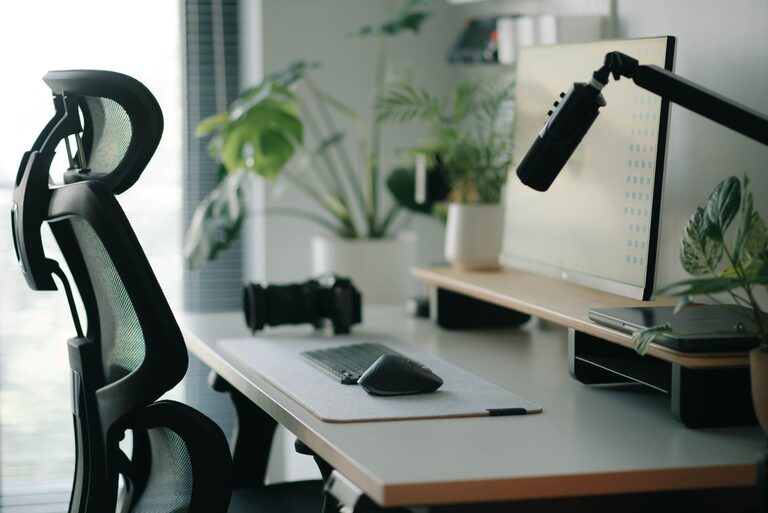
Creating a workspace that promotes both focus and comfort can significantly improve your productivity and overall well-being. Whether you work from home or an office, a thoughtfully arranged desk setup helps reduce distractions, minimize physical strain, and support a positive mindset. In this post, we’ll explore practical tips to design a desk area that encourages concentration and keeps you comfortable throughout your workday.
Why a Good Desk Setup Matters
Your desk is the heart of your work environment. A cluttered or poorly arranged desk can lead to distractions, discomfort, and fatigue, all of which hinder your ability to focus. Conversely, a well-organized, ergonomic setup supports sustained concentration, reduces physical stress, and makes working more enjoyable.
1. Choose the Right Desk and Chair
Desk Height and Size
Aim for a desk height that allows your forearms to rest parallel to the floor when typing or writing. Standard desk height ranges from 28 to 30 inches, but this can vary depending on your height.
– Make sure your desk is large enough to hold essentials like your computer, notepad, and any other tools you regularly use.
– If you often use multiple monitors or like to spread out paperwork, consider a desk with extra surface area.
– Adjustable desks or sit-stand desks offer flexibility, allowing you to change positions throughout the day.
Comfortable and Supportive Chair
Invest in a chair that supports your lower back and encourages good posture.
– Look for adjustable height, lumbar support, and armrests.
– Your feet should rest flat on the floor or footrest.
– The chair should allow you to sit close to the desk without straining your arms.
2. Optimize Monitor Placement
Where and how your monitor is positioned can greatly affect neck and eye comfort.
– Place your monitor about an arm’s length away from your eyes.
– The top of the screen should be at or slightly below eye level to help keep your neck in a neutral position.
– Avoid glare by positioning your monitor perpendicular to windows or light sources.
– Consider using a monitor stand or adjustable arm to achieve the proper height and angle.
3. Organize Your Desk for Efficiency
A tidy desk minimizes distractions and helps you locate items quickly.
Declutter Regularly
– Keep only essential items on your desk.
– Use drawers, shelves, or organizers to store supplies out of sight.
Use Desk Organizers
– Pen holders, file trays, or small containers keep tools orderly.
– Cable management solutions like clips or sleeves prevent cords from tangling or cluttering the workspace.
Personal Touches
– Add a small plant or a photo for a pleasant environment without overwhelming the space.
– A desk lamp with adjustable brightness can improve lighting and reduce eye strain.
4. Prioritize Good Lighting
Proper lighting reduces eye fatigue and creates an inviting atmosphere.
– Use natural daylight whenever possible.
– Position your workspace close to a window but avoid direct glare on your screen.
– Supplement with adjustable task lighting to focus on documents or detailed work.
– Opt for bulbs with color temperatures between 4000K and 5000K for a balance of warmth and clarity.
5. Maintain Proper Posture and Take Breaks
Even with a perfect setup, staying comfortable requires mindfulness about how you sit and move.
– Keep your back straight and shoulders relaxed.
– Your wrists should hover comfortably above the keyboard without bending.
– Take short breaks every hour to stand, stretch, and rest your eyes.
– Consider using a timer or reminder app to keep on schedule.
6. Incorporate Tools That Enhance Focus
Some additional accessories can help maintain concentration during your work sessions.
– Noise-cancelling headphones or white noise machines can reduce auditory distractions.
– A comfortable wrist rest can prevent strain during extended typing periods.
– Use a desk clock or timer to manage work sessions and breaks efficiently.
7. Personalize for Your Workflow
Every person’s work style differs, so adapt your desk setup to suit your needs.
– If you prefer standing, try a sit-stand desk converter.
– For creative tasks, keep sketchpads or inspiration boards nearby.
– Use multiple monitors if your work benefits from multitasking on several screens.
Conclusion
Creating a desk setup that promotes focus and comfort doesn’t require a complete office makeover. Small adjustments—such as choosing a supportive chair, optimizing monitor height, and organizing your workspace—can make a big difference. By prioritizing ergonomics, good lighting, and personal touches, you’ll enjoy a workspace that not only supports productivity but also makes your workday more pleasant.
Remember to listen to your body and adjust your setup as needed. Comfort and focus go hand in hand, and your desk should be a place where both thrive.